If you want to delete your account in the Pills Tracker application, you can do so in one of the following ways:
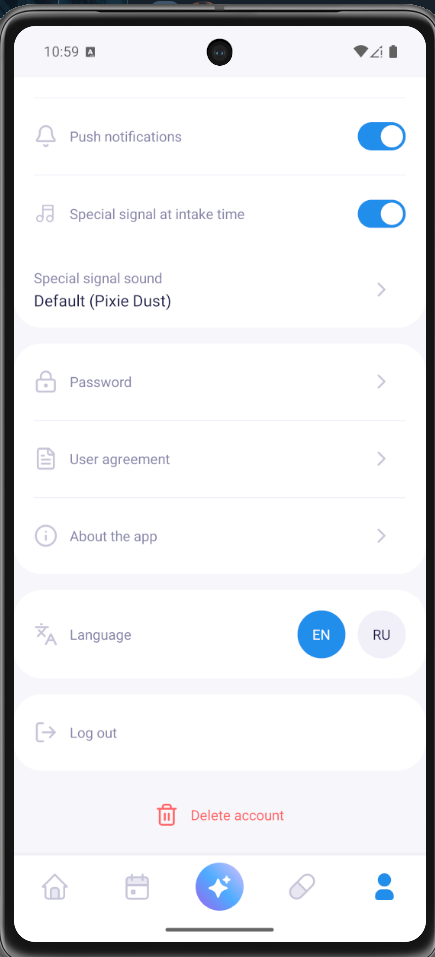
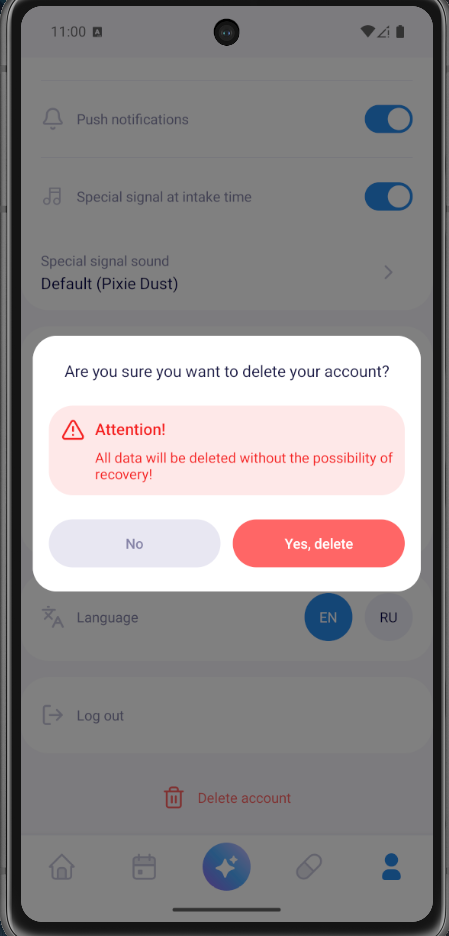
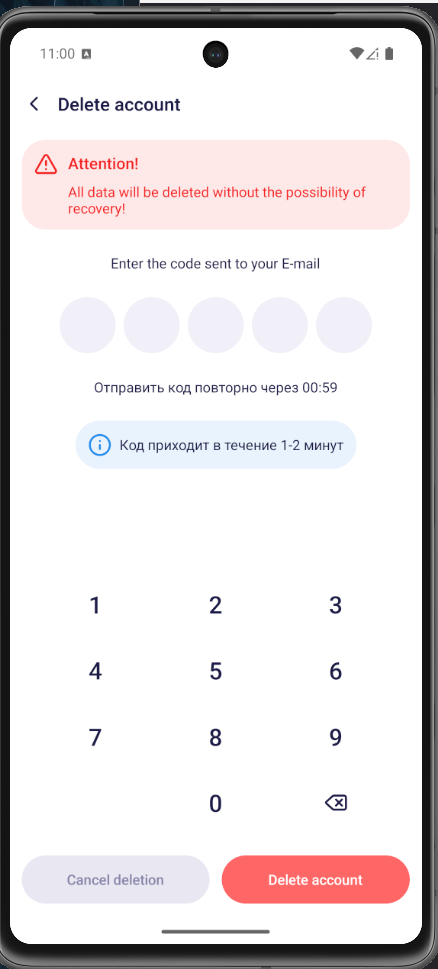
Through the application
Open the Profile tab and follow these steps:
By email
Write to:
Email subject:
Account Deletion Request / Запрос на удаление аккаунта
In the request, specify the email or phone number associated with the account.
After the request is confirmed:
- the account will be deleted;
- personal data will be deleted or de-identified;
- some data may be retained for a limited period if required by law, for information security, fraud prevention, dispute resolution or performance of obligations.
If you do not want to delete the account entirely, but only to withdraw consent to data processing, this can also be done through the application, email or a request page.